The first time you withdraw to a friend's address, the reply that comes back half an hour later is often a flat "nothing here yet." Then come the records, the screenshots and the chat with exchange support, and only at the end of that loop does it turn out the question belonged with someone else.
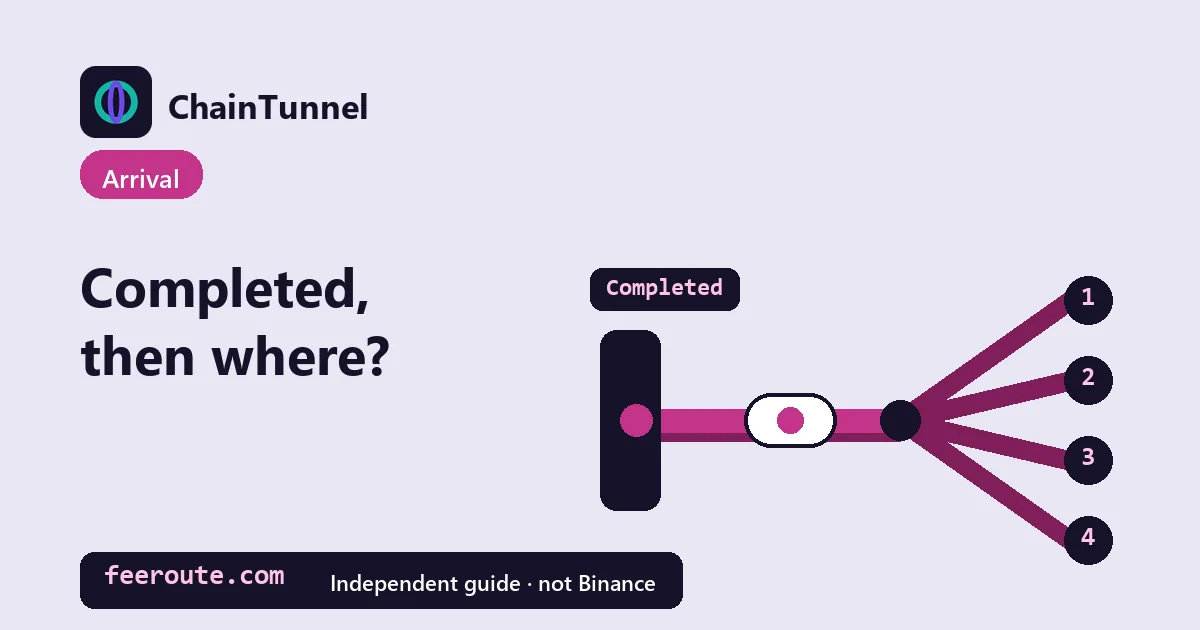
Binance's own answer is short. Its English help page says that when the status shows "Completed", "it means that your funds have been sent out successfully" (checked 2026-10-12). From that point the coins are no longer with Binance, and they are almost always in one of four places: they never went on-chain because this was an internal transfer, with [Internal] in the TxID field; they reached a receiving exchange's address but haven't been credited to the person's account; they reached a self-custody wallet that isn't displaying them; or the address was wrong and they now sit somewhere someone else controls. The first three are usually still fixable by the receiving side. The fourth depends on who holds that address. Which one you're in decides who you should be talking to.
Find your case
- What "Completed" actually promises
- [Internal] in the TxID field: it never touched a chain
- Sent to another exchange: arrived at the address, not in the account
- Sent to your own wallet: on-chain, but not on screen
- Wrong address: the coins went to someone else's door
- Five things to hand the receiving side's support
What "Completed" actually promises
The FAQ in question, Why Hasn't My Withdrawal Arrived?, only describes two states. For "Processing" it says: "please wait for the confirmation process to be completed." For "Completed" the funds are out, and the next line reads: "You can click the [TxID] to check the transaction details. Please check with the receiving exchange or wallet using the TxID." The next step is handed to the receiver, not to Binance support.
On the website the record sits under [Overview], then [Orders] - [Assets History], then [Withdraw]. Open the entry and, before you fire off a screenshot, look at what the TxID field actually holds. Everything below branches off that one field.
How long the rest takes is something this FAQ doesn't put a number on. How many confirmations the receiving platform wants, and how long that takes, is set by that platform and shown on its own deposit page, so we won't guess one for it. If your record is still under review and never reached "Completed", you're one stage earlier: see how long a withdrawal review takes.
If you open the TxID and the explorer shows the transaction as Pending or Failed, or can't find it at all, that isn't what "Completed" describes. First make sure you're on the explorer for the right chain and pasted the hash rather than an address; finding and reading a TxID walks through that. The ways a transfer genuinely gets stuck before a block are in transfer stuck pending. If all of that checks out and the two still don't match, that's the rare case where the sending side is who you ask, TxID in hand.
[Internal] in the TxID field: it never touched a chain
A transfer between two Binance accounts doesn't use the blockchain at all. The English help page How to Make an Internal Transfer to Another Binance Account? puts it plainly: "Please note that for an internal transfer within Binance, no TxID will be created. The TxID field will be shown as [Internal] and you will see an internal transfer ID." The same page says internal transfers "have zero transaction fees and transfers are credited immediately", with the condition that this applies "only when the recipient's address belongs to a Binance account."
So an [Internal] tag means you can stop searching explorers; not finding it there is the expected result. Two things are worth doing instead:
- Have the recipient look in their own deposit history. Binance says they can see it under [Transaction History] - [Deposit], where "the transaction has the same internal transfer ID and will be marked as [Internal] under [TxID]." If it's there, they missed it.
- If it isn't, take the internal transfer ID to Binance Support. This is one of the two cases in this article where Binance is the right contact (the other is the explorer disagreeing with "Completed", covered above): "In case you encounter any issues for this transaction, please provide the ID to Binance Support for more assistance." Label it as the internal transfer ID when you send it, so it doesn't get mixed up with the withdrawal order number.
Sent to another exchange: arrived at the address, not in the account
The TxID is a normal hash, the explorer says success, and the receiving address matches. The coins did arrive. But an exchange receiving coins at a deposit address and crediting them to one user's balance are two separate events, and the second runs on the receiving platform's own processing. When things stall here, it's usually one of three things:
- The receiving exchange is still waiting for its own confirmation count. Each platform sets its own number, listed on its deposit page. "Completed" on your side says nothing about whether their threshold has been reached.
- A memo or tag was missing or wrong. Binance's internal-transfer page states that for coins that need one, "you must enter the correct tag/memo for the transaction to be successfully credited". Our reading, not Binance's wording, is that other exchanges work the same way: without a correct memo the coins reach the platform but can't be matched to a user. The recovery route is in forgot the memo.
- The receiver doesn't support that token or that network. This is where Binance's FAQ uses its bluntest wording: "Please make sure that the receiving platform/wallet supports the token you are withdrawing and the network you are using," or "your assets might be lost and cannot be recovered." How each of these plays out is covered in deposited an unsupported token.
Binance Support can't resolve any of these three, because it can't see another platform's crediting system. The right contact is the receiving platform's support. If you're facing the reverse, coins sent into Binance that haven't been credited, that's what confirmations done but not credited deals with.
Sent to your own wallet: on-chain, but not on screen
A self-custody wallet has no crediting step. Once the coins land at the address on-chain, they belong to that address; what the wallet shows is just its reading of the chain. When they don't appear, the cause is usually on the wallet side:
- The wallet is looking at a different network. One 0x address works across many EVM chains, so a wallet set to chain A won't show coins that arrived on chain B. That's how EVM wallets behave in general rather than anything Binance's pages cover.
- The token wasn't detected automatically. MetaMask's help page notes that automatic detection only covers some networks, and that "'Basic Functionality' must be enabled in 'Settings' > 'Privacy' for automatic detection to work." Its fallback: "If tokens still don't appear, try adding the token manually," which comes down to pasting the token's contract address, clicking "Next", then "Import".
- A token with the same name showed up, and it isn't yours. Same-name tokens can sit on different contracts. Take the contract address from your withdrawal record or the project's own documentation, not from the first search result. MetaMask's advice applies here too: "Always second-guess an airdropped or unfamiliar token and do your due diligence before interacting with it."
Our order of operations is fixed: confirm on the explorer that the coins reached that address, and only then start changing wallet settings. If the explorer shows success to the right address, the wallet problem is purely cosmetic. If the explorer shows nothing, no amount of wallet tinkering will help. For token transfers, read one more block: the main "To" row is the token contract, and the real recipient sits in the token-transfer section below it, explained in the token section of the TxID guide.
Wrong address: the coins went to someone else's door
The explorer says success, but the receiving address doesn't match the one you were given. Check the first and last characters one by one rather than skimming the middle. Here "Completed" really is complete; the coins just went to the wrong door, and an on-chain transaction doesn't bounce back because the address was a mistake.
Whether you can get them back depends on who controls that address: another exchange's deposit address, the wallet of someone you can reach, or an address nobody can move funds from. Those three end very differently, as laid out in sent to the wrong withdrawal address. If the address was right and the network was wrong, start with picked the wrong network — are the coins still there.
Five things to hand the receiving side's support
Whoever you end up contacting, send all five at once. A lone screenshot usually gets you a reply asking for the TxID, and that round trip is avoidable.
| What to send | What they use it for |
|---|---|
| The TxID, or the internal transfer ID for an internal transfer | Locating this exact transfer on-chain or in their own books; no other number does that |
| The network name | The same address can exist on several chains, so they need to know which one to search |
| The token contract address, for token transfers | Same-name tokens can have several contracts; they need to check the one you sent |
| The receiving address, plus memo or tag if any | Exchanges use the memo to match coins to a specific user |
| The amount and rough time | Explorers usually show UTC, so say which time zone you mean |
Notice what isn't on the list: passwords, verification codes, seed phrases. Anyone calling themselves support who asks for those is not trying to trace your transfer.
Read next
Find the TxID, then read the explorer Confirmations done but not credited Transfer stuck pending? Which kind of stuck is it Forgot the memo on XRP / TON — now what? Sent to the wrong withdrawal address — can you get it back? Deposit-not-arriving troubleshooterSources: Binance Support, Why Hasn't My Withdrawal Arrived? (English version; checked 2026-10-12), Binance Support, How to Make an Internal Transfer to Another Binance Account? (English version; checked 2026-10-12) and MetaMask Support, How to display tokens in MetaMask (checked 2026-10-12). Binance's FAQ doesn't publish how long a completed withdrawal takes to show up on the other side, and receiving platforms set their own confirmation counts, so this article gives no timings or confirmation numbers.